Introduction
Transforming your living space into a cinematic cinema no longer requires juggling multiple infrared remotes or navigating endless screen menus. Designing a fully integrated voice-controlled home theater allows you to launch movie nights, adjust surround sound volume, and dim ambient room lighting using simple, natural voice commands https://fibozin.com.
A truly modern smart entertainment setup goes beyond basic smart TV apps. By uniting display hardware, AV receivers, smart lighting, and voice assistants under a cohesive automation protocol, your home theater becomes an effortless, hands-free experience.
Whether you are upgrading an existing media room or configuring a dedicated home cinema from scratch, this comprehensive guide outlines the hardware integrations, control protocols, and voice routine configurations needed to build a flawless system.
1. Choosing the Central Hub and Display Hardware
The foundation of any seamless voice-controlled home theater begins with choosing display hardware and media players that natively support bidirectional smart control protocols.
Key Hardware Requirements:
- Smart TVs & Projectors: Look for displays with built-in voice assistant capabilities or robust HDMI-CEC (Consumer Electronics Control) support.
- Streaming Devices: Media players like Apple TV 4K, Chromecast with Google TV, or Fire TV Cube offer rapid voice processing and deep app integration.
- AV Receivers: Select modern network-connected receivers equipped with eARC (Enhanced Audio Return Channel) to ensure uncompressed Dolby Atmos passthrough while accepting network control commands.
[Internal Link: Check out our guide on Wi-Fi 6E and Wi-Fi 7 to ensure lag-free media streaming]
[Image Placeholder 1]
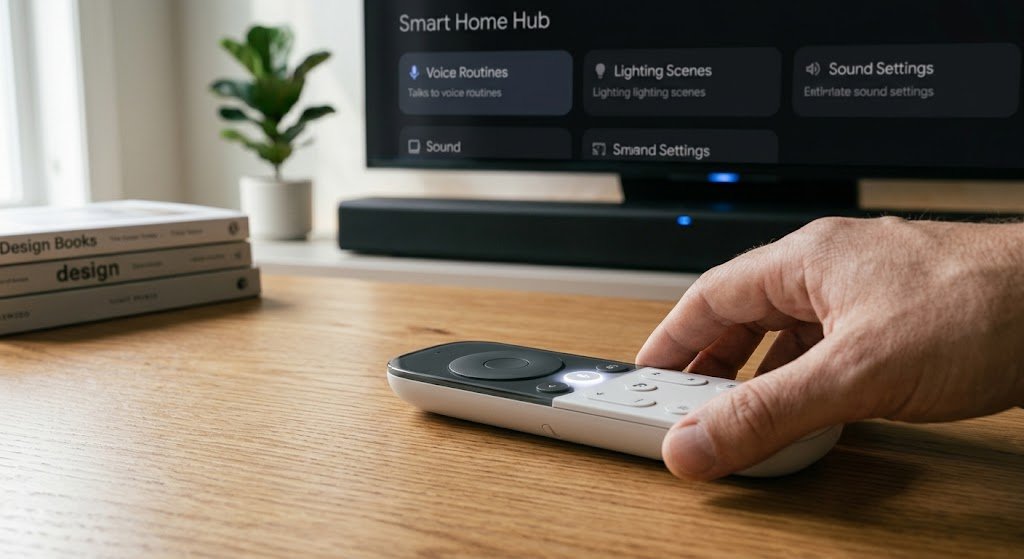
2. Syncing Lighting and Atmosphere for Movie Scenes
A movie night is incomplete without dynamic ambient lighting. Integrating smart lighting into your entertainment routines allows you to trigger immersive light transitions the moment you press play.
┌─────────────────────────────────────────────────────────────┐
│                 Voice Movie Routine Workflow                │
├───────────────────┬─────────────────────────────────────────┤
│ Trigger           │ Voice Command: "Hey Google, Movie Time" │
├───────────────────┼─────────────────────────────────────────┤
│ AV Hardware       │ Power ON TV, Receiver & Set Input to HDMI1│
│ Room Lighting     │ Dim Ceiling Overhead to 0%, LED Strip 10%│
│ Climate Control   │ Adjust Thermostat to comfortable 70°F   │
│ Audio Setting     │ Set AV Receiver Mode to Dolby Atmos     │
└───────────────────┴─────────────────────────────────────────┘
By adding addressable LED light strips behind your screen and setting up automated presence triggers, your system can automatically raise lights to 20% warm white when media is paused and drop them back to zero when playback resumes.
[External Link: Read Dolby’s official setup guide for home theater speaker placement and audio routing]
[Image Placeholder 2]

3. Configuring Custom Voice Routines and Command Sequences
To unlock the full power of a voice-controlled home theater, map complex multi-step actions to single custom voice triggers within your preferred smart home ecosystem Wikipedia.
Essential Voice Routines to Create:
- “Movie Night”: Powers on the display and receiver, launches your favorite streaming platform, dims the lights, and sets the AC to a quiet fan mode.
- “Intermission”: Pauses the active media player and smoothly brightens floor-level pathway lights so guests can move safely without tripping in the dark.
- “System Off”: Turns off all audio-visual components, cuts power to standby smart plugs, and restores default room lighting.
[Image Placeholder 3]

Conclusion
Building a voice-controlled home theater turns everyday entertainment into a luxury, zero-touch experience. By uniting smart TVs, network receivers, custom lighting scenes, and hands-free voice routines, you eliminate remote clutter and create an intuitive media room the whole family can enjoy. Start by configuring your main display’s HDMI-CEC settings today, and experience the future of home cinema.
Frequently Asked Questions (FAQs)
Can I turn my existing TV into a voice-controlled home theater display?
Yes. Plugging a modern voice-enabled streaming device (such as a Fire TV Cube or Chromecast with Google TV) into your TV’s HDMI-CEC port allows voice assistants to control power, volume, and input switching even on older displays.
How do I prevent voice assistants from interrupting audio during movies?
Set your smart speaker or voice hub to mute its wake-word chime or route response audio to a secondary device outside the main sound field. Alternatively, use push-to-talk voice remotes to ensure TV audio doesn’t inadvertently trigger your voice assistant.
Do voice commands work with surround sound receivers?
Most modern network-connected AV receivers from brands like Denon, Yamaha, and Marantz feature direct compatibility with Alexa, Google Assistant, and Apple HomeKit, letting you switch inputs or adjust volume levels hands-free.
Leave a Reply