Introduction
The convenience of a connected home is undeniable. With a simple voice command or tap on a smartphone screen, you can adjust your thermostat, lock your front door, or check live camera feeds. However, as household Internet of Things (IoT) devices proliferate, maintaining smart home privacy & security becomes a critical priority for every modern household The convenience of a connected home is undeniable. With a simple voice command or tap on a smartphone screen, you can adjust your thermostat, lock your front door, or check live camera feeds. However, as household Internet of Things (IoT) devices proliferate, maintaining smart home privacy & security becomes a critical priority for every modern household The convenience of a connected home is undeniable. With a simple voice command or tap on a smartphone screen, you can adjust your thermostat, lock your front door, or check live camera feeds. However, as household Internet of Things (IoT) devices proliferate, maintaining smart home privacy & security becomes a critical priority for every modern household https://fibozin.com .
Unsecured smart devices represent vulnerable entry points into your broader home network. A weakness in a budget smart bulb or connected plug can provide bad actors with a foothold to intercept unencrypted traffic, snoop on camera feeds, or target personal computers. Fortunately, safeguarding your digital living space does not require advanced technical degrees—just targeted network hardening and proper device hygiene.
Here is your actionable, step-by-step blueprint to securing your connected devices and protecting your household privacy against modern cyber threats.
1. Secure Your Router: The Main Line of Defense
Your Wi-Fi router serves as the digital front door to your entire home network. Securing this primary hub is the single most effective step in strengthening your overall security posture.
- Change Default Admin Credentials: Manufacturers ship routers with standardized login credentials that are easily searchable online. Update the router’s administrative username and password immediately.
- Enable WPA3 Wireless Encryption: Transition your wireless settings from outdated WPA2 mixed modes to WPA3 encryption. WPA3 offers significantly stronger protection against brute-force password attacks.
- Disable Wi-Fi Protected Setup (WPS): WPS allows push-button device pairing but harbors known PIN vulnerabilities that attackers can exploit. Turn off WPS in your administrative settings.
[Internal Link: Read our guide on building a high-tech home security system on a budget]
2. Isolate IoT Devices Using Network Segmentation
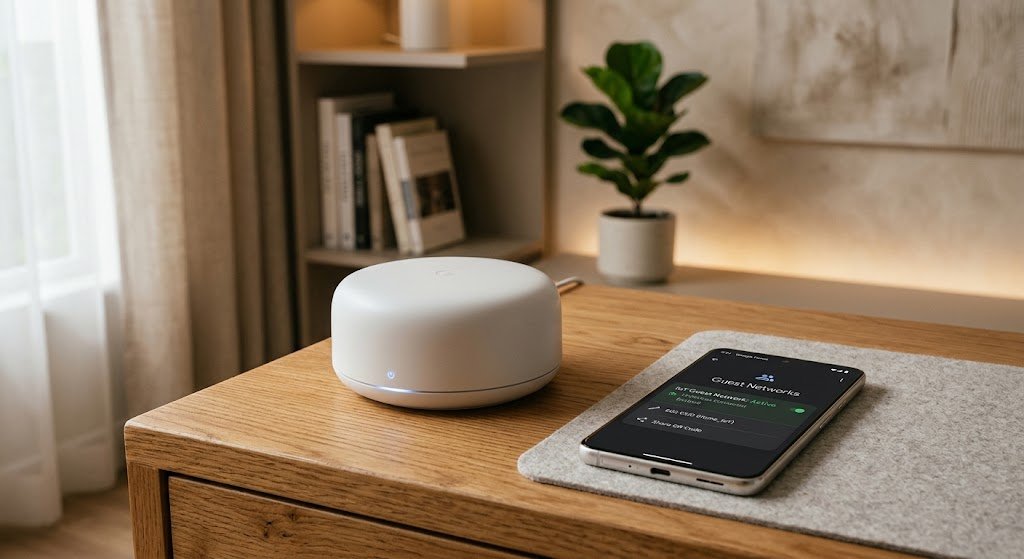
One of the most common mistakes in smart home management is connecting every phone, laptop, and smart appliance to the exact same Wi-Fi network. If an inexpensive smart gadget is compromised, an attacker can easily scan the local network for high-value targets.
┌─────────────────────────────────────────────────────────────┐
│                 Ideal Network Segmentation                  │
├──────────────────────────┬──────────────────────────────────┤
│ Primary Wi-Fi Network    │ Dedicated IoT / Guest Network    │
├──────────────────────────┼──────────────────────────────────┤
│ Laptops & Workstations   │ Smart Security Cameras           │
│ Smartphones & Tablets    │ Smart Thermostats & Plugs        │
│ Personal NAS Storage     │ Connected Kitchen Appliances     │
│ Financial & Personal Data│ Voice Assistant Speakers         │
└──────────────────────────┴──────────────────────────────────┘
Creating a virtual local area network (VLAN) or activating your router’s Guest Wi-Fi network specifically for smart devices creates a secure digital sandbox. This guarantees that even if a smart light bulb is breached, the attacker remains isolated from your private personal data.
[Image Placeholder 1]
3. Harden Individual Device Credentials and Authentication
Once your network is properly segmented, focus on strengthening the authentication parameters for every individual connected gadget.
- Enforce Unique Passwords: Never reuse passwords across multiple smart device accounts. Use a dedicated password manager to generate complex, 16+ character passphrases.
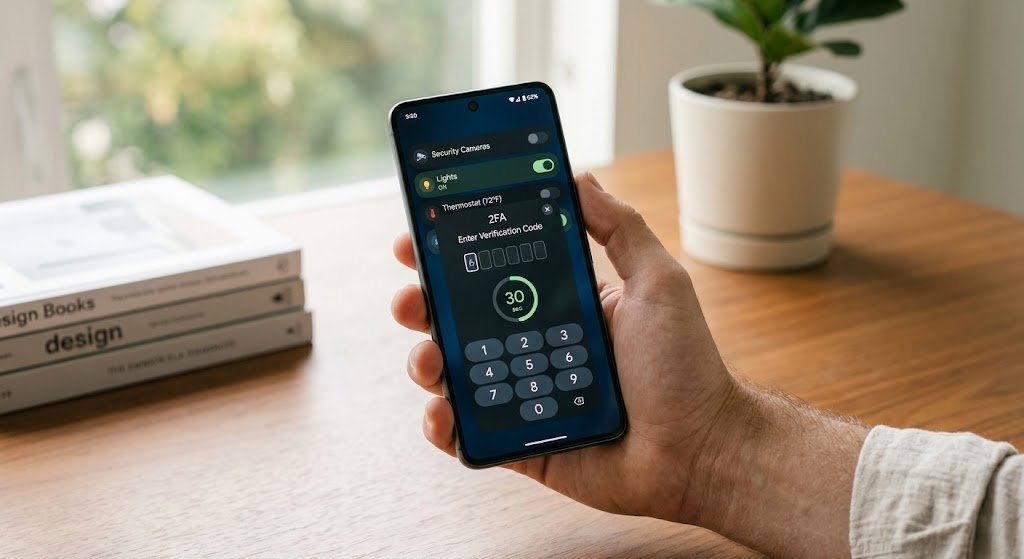
- Enable Multi-Factor Authentication (MFA): Require a secondary verification step—such as an authenticator app code or SMS prompt—for every companion app linked to your smart devices. MFA renders stolen passwords useless to remote attackers Wikipedia.
[External Link: Consult CISA guidelines on securing home networks and smart devices]
[Image Placeholder 2]
4. Audit Device Permissions and Keep Firmware Updated
Maintaining long-term smart home privacy & security requires ongoing management of device software and privacy settings.
- Enable Automatic Firmware Updates: Software updates frequently patch newly discovered security vulnerabilities. Enable automatic updates across all smart cameras, hubs, and companion apps.
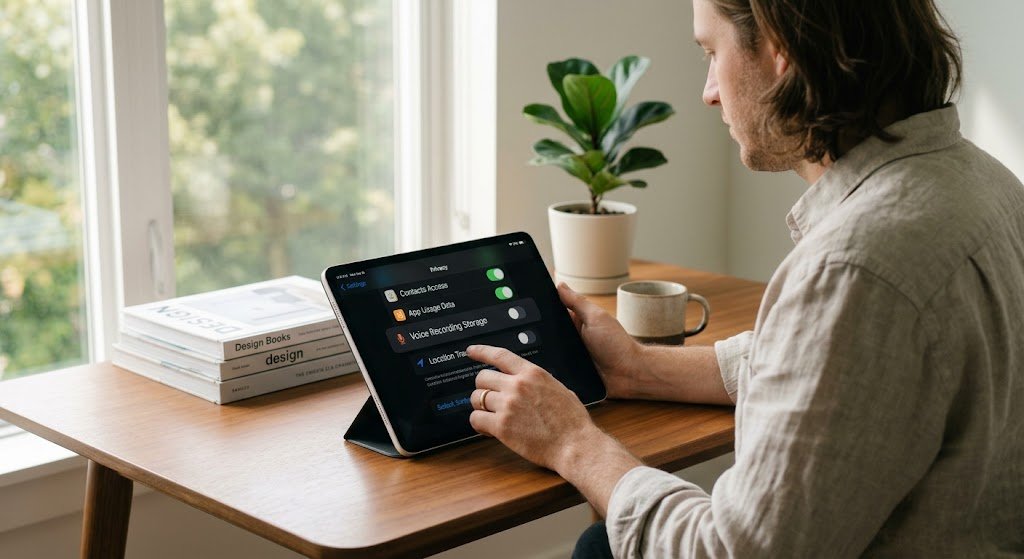
- Disable Unused Hardware Features: Turn off integrated microphones, cameras, remote management tools, or location permissions whenever they are not actively required for the device’s main function.
- Review Data-Sharing Agreements: Regularly check companion app settings to opt out of vendor data-sharing programs that transmit usage analytics or audio clips to third-party servers.
[Image Placeholder 3]
Conclusion
Enhancing your smart home privacy & security does not mean compromising on modern comfort or convenience. By hardening your primary router, isolating IoT hardware on a dedicated guest network, enforcing multi-factor authentication, and disabling invasive permissions, you build an effective defense against cyber threats. Take time to audit your connected devices today to ensure your smart home remains safe, private, and fully under your control.
Frequently Asked Questions (FAQs)
How do I know if my smart home device has been hacked?
Common indicators include unexpected movements or indicator lights on security cameras, unexplained spikes in network data usage, device settings changing spontaneously, or receiving unauthorized login notifications from your companion app.
Is a guest network really enough to protect smart home devices?
Yes, a properly configured guest network provides logical network isolation. It prevents devices on the guest band from discovering, communicating with, or accessing shared files on devices connected to your main Wi-Fi network.
Why are smart home devices frequently targeted by hackers?
Many low-cost smart home devices ship with weak default settings, outdated firmware, or unpatched vulnerabilities. Attackers exploit these weak links to recruit devices into automated botnets or gain a foothold into private home networks.
Leave a Reply