Introduction
For years, building a smart home felt like navigating a fractured ecosystem. You had to carefully check every box for specific badges: “Works with Alexa,” “Works with Google Home,” or “Works with Apple HomeKit.” Purchasing the wrong device often meant managing multiple separate smartphone apps, setting up complex bridge hubs, or dealing with sluggish cloud integrations that broke whenever the internet dropped https://fibozin.com.
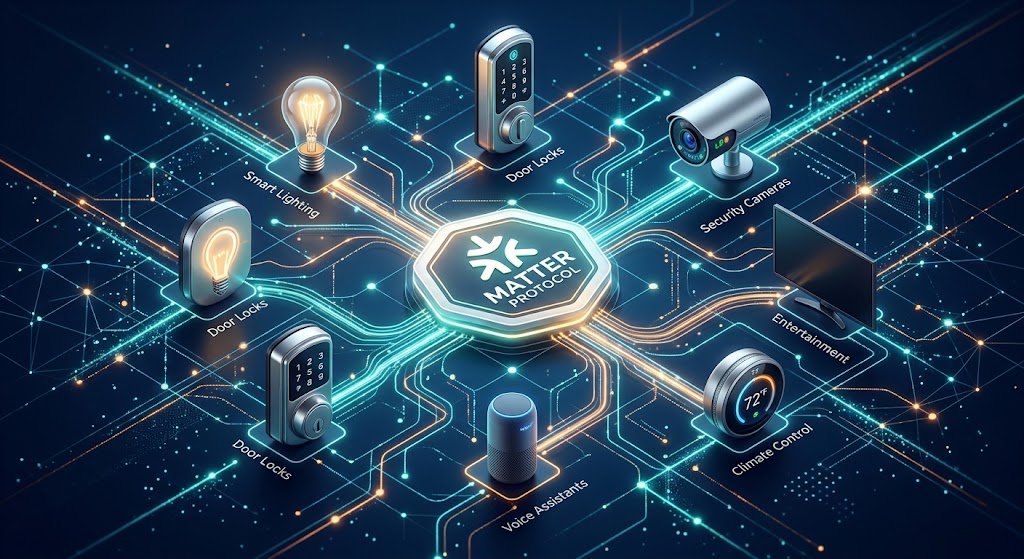
Enter the Matter protocol, an open-source connectivity standard backed by major tech leaders under the Connectivity Standards Alliance (CSA).
If you have ever wondered Matter protocol explained in plain terms: it is the universal language that enables smart lights, security locks, thermostats, and appliances to talk directly to one another—regardless of who manufactured them. In this comprehensive guide, we will unpack how Matter works, why it transforms smart homes, and how you can set up a unified, seamless system today.
What Is the Matter Protocol?
Matter is an IP-based application-layer standard that standardizes how smart devices connect, authenticate, and communicate across local networks. Rather than forcing consumers to pick a single brand ecosystem, Matter creates a shared baseline across all major tech platforms.
┌─────────────────────────────────────────────────────────────┐
│                 The Traditional vs. Matter Setup            │
├──────────────────────────┬──────────────────────────────────┤
│ Traditional Smart Home   │ Matter-Enabled Smart Home        │
├──────────────────────────┼──────────────────────────────────┤
│ Disconnected ecosystems  │ Unified IP-based network         │
│ Multiple bridge hubs     │ Direct device communication      │
│ Cloud-dependent latency  │ Local network processing         │
│ Isolated control apps    │ Multi-Admin cross-app control    │
└──────────────────────────┴──────────────────────────────────┘
When you see the Matter protocol explained through real-world usage, its main breakthrough is simplicity. Instead of translating commands through separate cloud servers, Matter devices speak directly to your home router or local controller using standard Internet Protocol (IP) technologies.
[Internal Link: Read our beginner’s guide on 10 essential smart home devices to start your setup]
How Matter Works Under the Hood: Wi-Fi, Thread, and Ethernet
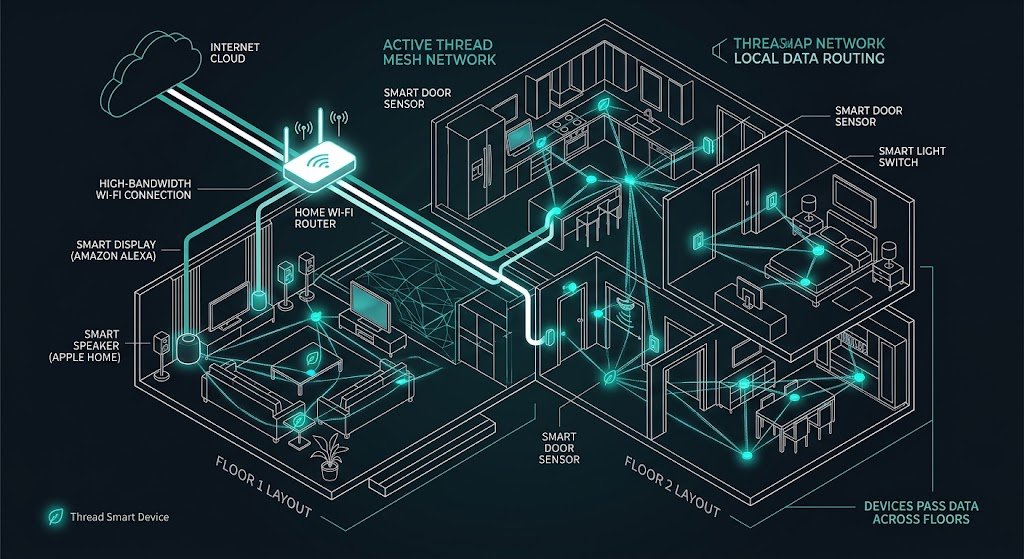
Matter is not a new wireless radio signal like Bluetooth or Wi-Fi; rather, it is a unified software protocol running on top of existing physical networking layers.
- Wi-Fi / Ethernet: Used for bandwidth-heavy devices like smart TVs, video doorbells, streaming hubs, and major kitchen appliances.
- Thread Network: A low-power, self-healing mesh networking protocol created specifically for low-energy gadgets like door sensors, smart light bulbs, and deadbolts.
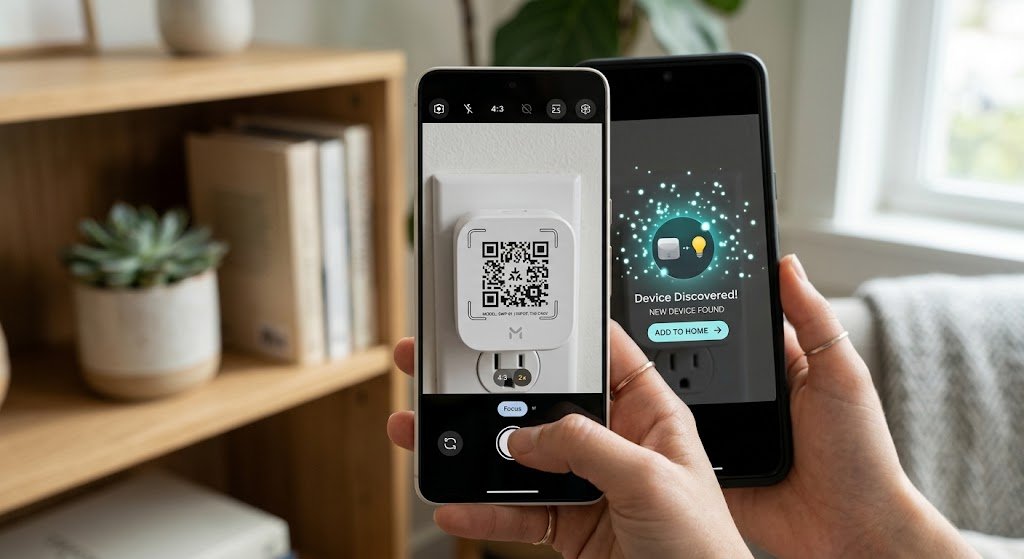
- Bluetooth Low Energy (BLE): Used exclusively during the initial onboarding process to pair new devices via a quick QR code scan on your phone.
[Image Placeholder 1]
The Biggest Benefits of Matter for Smart Homes
Understanding the Matter protocol explained comes down to recognizing the four key improvements it brings to everyday smart living:
1. True Cross-Platform Interoperability
You no longer have to buy all your gadgets from a single manufacturer. An Apple HomeKit user can purchase a Matter-certified smart plug from a third-party brand and control it immediately using Siri, an iPad, or an Apple Watch.
2. The Multi-Admin Feature
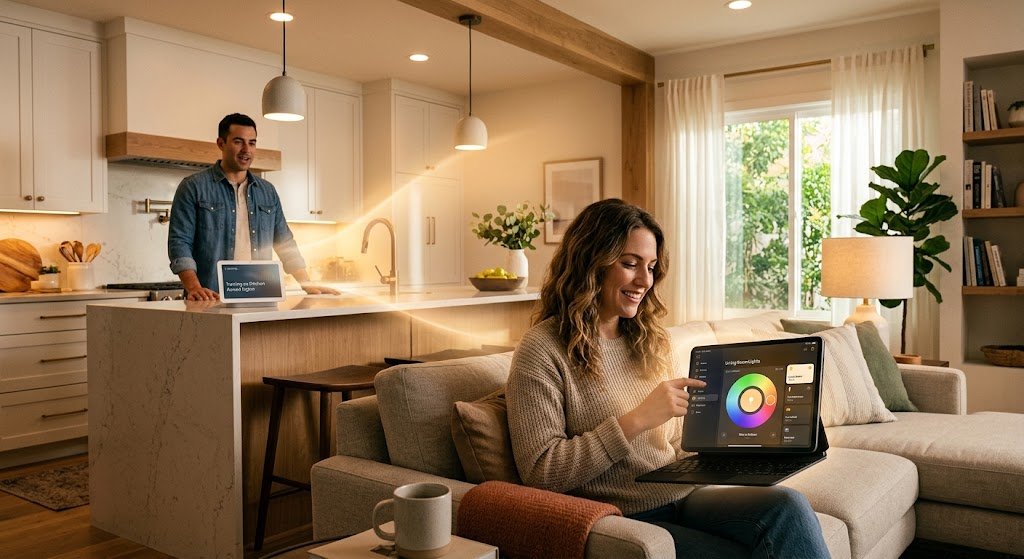
One of Matter’s most powerful capabilities is Multi-Admin. This feature allows a single smart device to be paired simultaneously with multiple control systems. For instance, you can control a hallway light through Google Assistant on your phone, while a family member turns off that same light using Amazon Alexa or Apple Home https://fibozin.com.
3. Faster Performance & Local Control
Traditional smart devices often send every button tap up to an offsite cloud server before switching on a bulb. Matter processes commands locally over your home network. This results in sub-second response times and ensures your automations continue running smoothly even if your internet service goes down Wikipedia.
[External Link: Visit the official Connectivity Standards Alliance site for a full list of certified Matter devices]
[Image Placeholder 2]
How to Set Up a Matter-Enabled Smart Home: Step-by-Step
Setting up a Matter network does not require hiring an IT expert. Follow these steps to get started:
- Get a Matter Controller / Hub: Ensure you have at least one central Matter controller operating on your network. Examples include recent generations of Apple TV 4K, HomePod, Amazon Echo displays, Google Nest Hubs, or Samsung SmartThings Stations.
- Look for the Matter Logo: When purchasing new devices, ensure the official Matter badge appears on the box or product listing.
- Scan the Setup Code: Open your favorite smart home application (Apple Home, Google Home, Alexa, or SmartThings). Tap Add Device and scan the unique Matter QR code located on the product or manual.
- Share via Multi-Admin: To add the device to a second app, select the device in your primary app, generate a new pairing code, and enter that code into the second app.
[Image Placeholder 3]
Conclusion
When having the Matter protocol explained, it becomes clear that smart home technology has moved past its era of fragmented ecosystems. By prioritizing local control, robust encryption, and universal compatibility, Matter makes setting up home automation reliable and frustration-free. Whether you are setting up your very first smart light bulb or expanding a complex multi-room automation layout, choosing Matter-certified products ensures your smart home is future-proofed for years to come.
Frequently Asked Questions (FAQs)
Does Matter replace Wi-Fi or Zigbee?
No. Matter is an application software standard that runs on top of Wi-Fi, Thread, and Ethernet. While it reduces the need for proprietary Zigbee or Z-Wave hubs going forward, many existing Zigbee hubs can be updated to act as Matter bridges for legacy devices.
Do Matter devices work without an active internet connection?
Yes! Because Matter processes control commands locally across your Wi-Fi or Thread network, your connected switches, lights, and routines will continue working locally even if your internet service provider experiences an outage.
Can I use Matter devices with older smart home hardware?
Many manufacturers have updated their existing smart hubs (such as Philips Hue Bridges, Samsung SmartThings Hubs, and Amazon Echo units) via firmware updates to support Matter, allowing existing setups to bridge seamlessly into the new ecosystem.
Leave a Reply